

Permission cards
When an agent wants to do something that needs your say, a card appears in the conversation. It says what the agent wants to do in plain words, and shows the command or the file.- Allow lets this one request through.
- Always allow lets it through and remembers the answer for this workspace.
- Always allow this folder appears when the request reaches a folder outside the workspace. It adds that folder to your working folders, which covers commands as well as file edits from then on.
- Deny refuses it, and the agent is told.
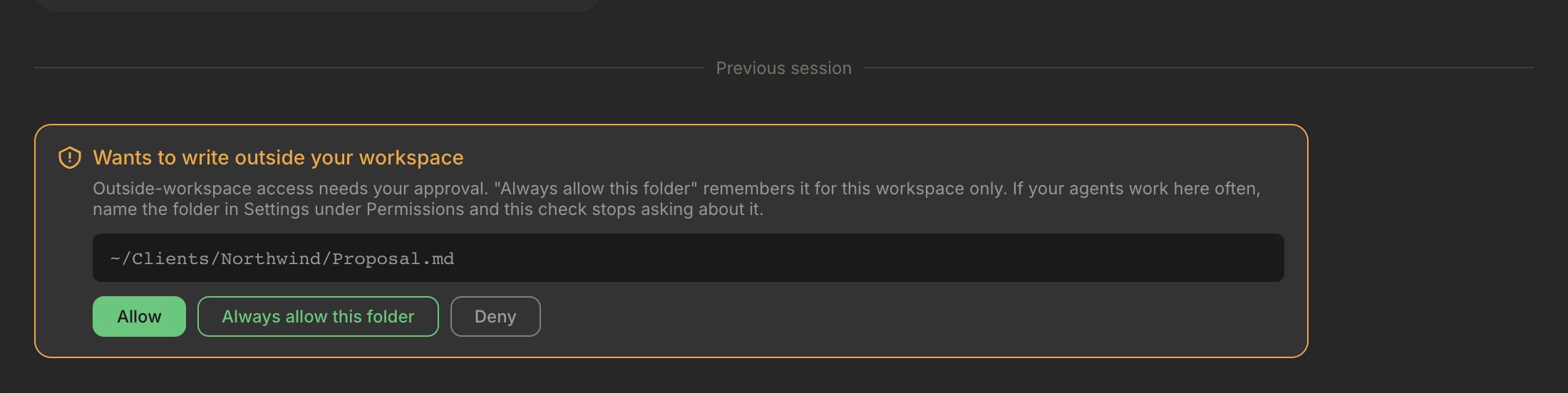
A card for a change outside the workspace, offering to allow the whole folder.
Notes and Code
Each workspace has a mode, set in Settings, Permissions, under What are you working on?- Notes, for notes, documents and other files. Agents ask before running commands, and cannot write code files such as
.js,.pyor.sh. - Code, for websites and software. Agents edit code and run everyday development commands without asking. Commands you could get back with tools you already have, such as git, a rebuild or a reinstall, run straight away. Commands that lose something for good ask every time. A few that other people see first, such as pushing to the default branch, ask once and can be remembered.
Keep agents inside this workspace
A separate switch, below the mode, decides whether agents can change files outside the workspace folder. On macOS it uses the system’s own sandbox and starts on for a new workspace. Under it, Folders agents can also change lists your working folders: name a parent such as~/Projects and everything inside it is covered, including folders you create later. See Keep agents inside this workspace for every state the switch can show.
Take an answer back
Tools allowed without asking, at the foot of Settings, Permissions, lists every Always allow you have given, in words, including commands you chose to remember in Code mode. Remove one and the card asks again next time. Remove a working folder from the list above it to stop covering that folder; conversations already running keep the folders they started with.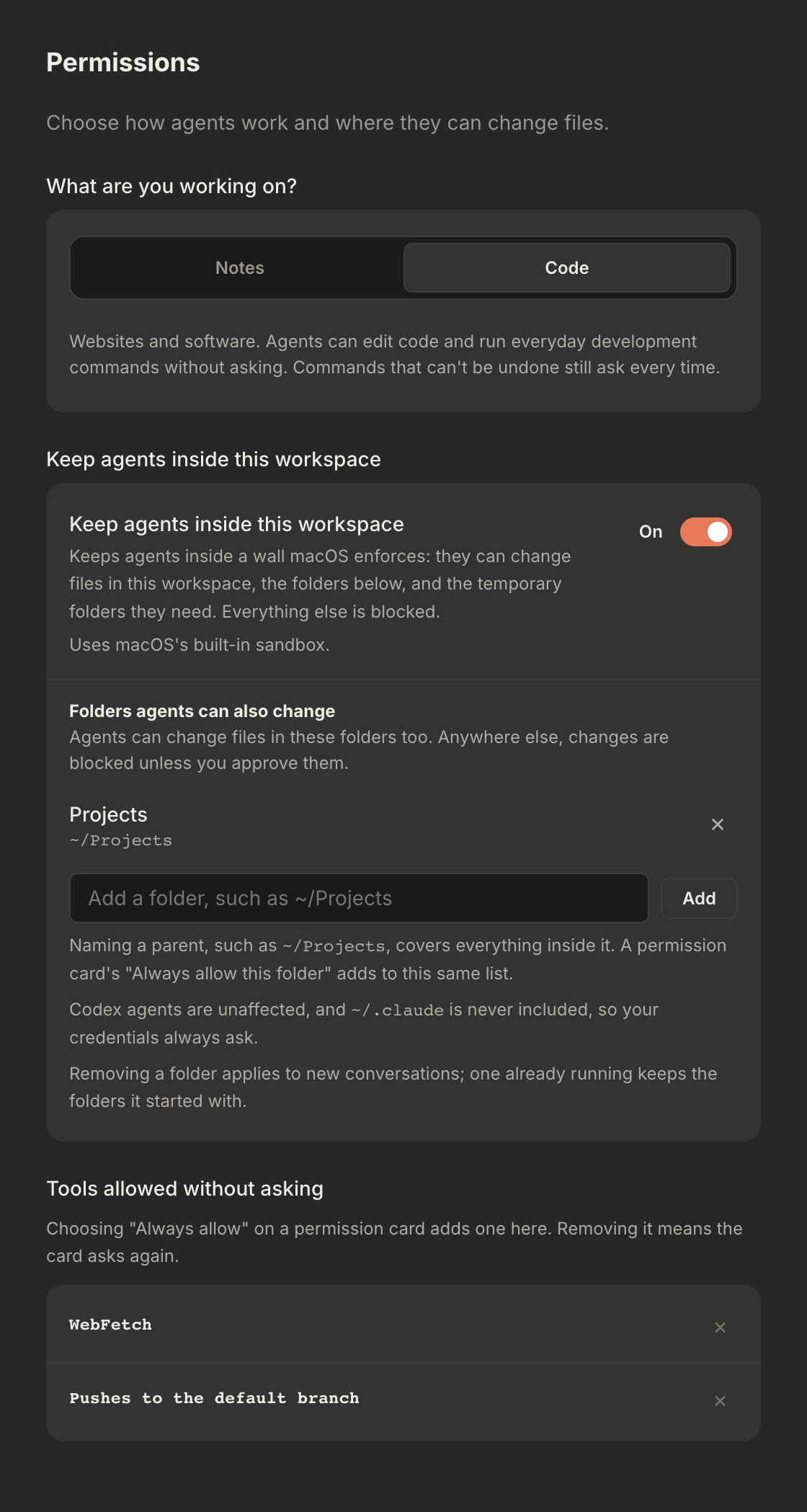
Settings, Permissions: Code mode, agents kept inside the workspace with one working folder, and two remembered answers that can be removed.
What always asks
Some things ask on every occasion, whatever you have allowed: any access to your Claude account credentials, and any change to your global instructions (~/.claude/CLAUDE.md with its rules and output-styles folders, and the Codex equivalents, ~/.codex/AGENTS.md and its rules folder) or to a workspace’s own permission files. Reading the instructions doesn’t ask. A change an agent makes to the permission files is put back first, then you are asked whether to keep it.
Where to next
Workspace structure
Where the mode, the switch and working folders are stored.
Runtimes
How Claude Code and Codex differ in their sandboxes.