

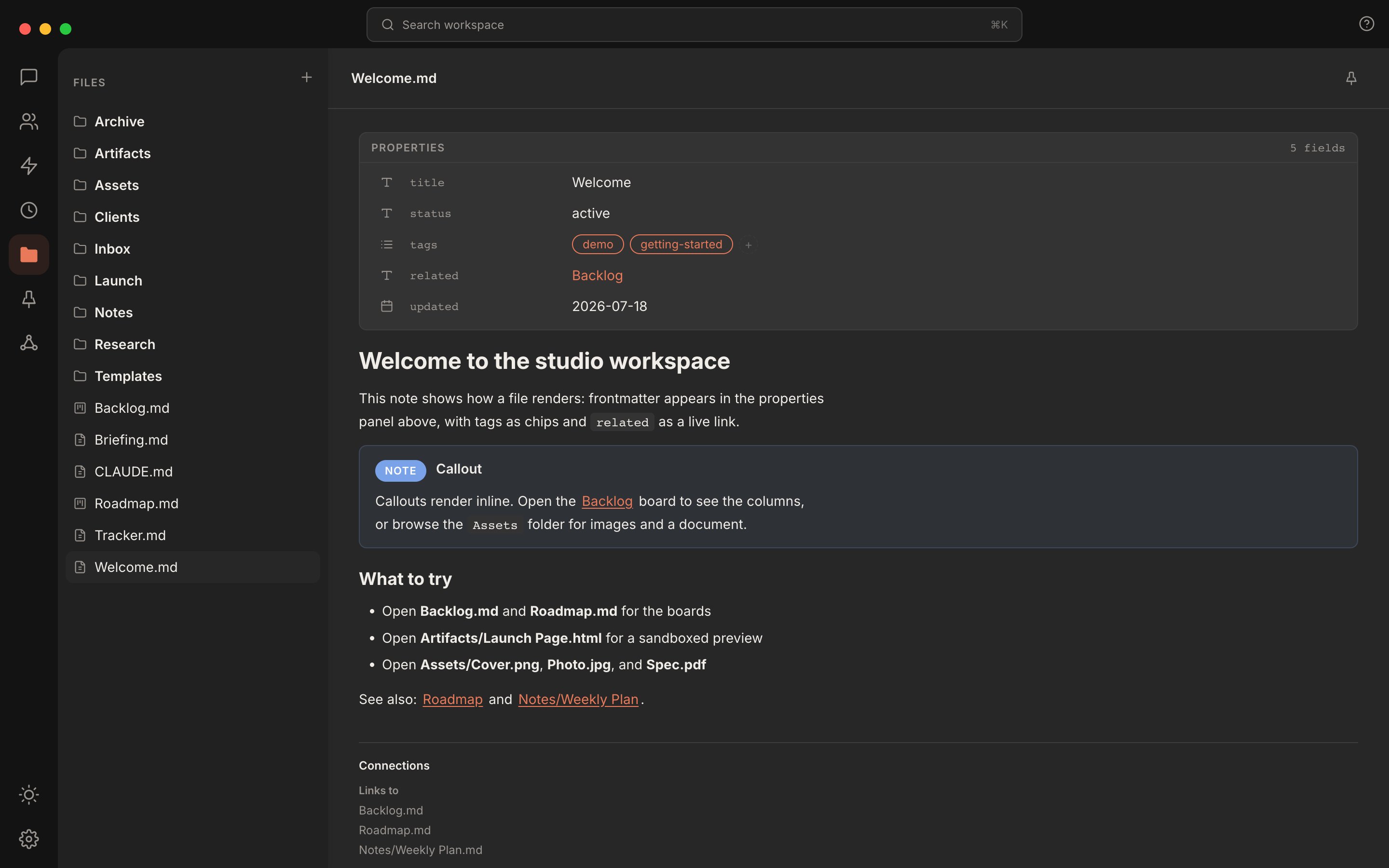
A note open in Rundock: frontmatter in the properties panel above, the rendered markdown below, callouts and wikilinks in place.
The markdown editor
Markdown files open in an editor that formats as you type. Headings, bold, lists, and links render live rather than showing raw syntax. Wikilinks are clickable and navigate to the linked file, and so does an ordinary relative link to a file in your workspace, such as[the plan](Projects/Plan.md). A web link opens outside Rundock, in your browser from the desktop app or a new tab in browser mode, and Rundock itself never navigates away. Copying from inside a code block copies the code alone, without the fences. Tables open cell by cell: click in and type, and your file’s exact spacing and alignment are preserved on save. Callouts render as coloured boxes you can expand, collapse, and edit in place.
Every save is byte-honest: editing one line changes only that line, and the rest of the file comes back exactly as it was.
Properties without raw YAML
A file’s frontmatter appears in a properties panel above the editor. Click a value to edit it, toggle a boolean, add or remove list items, and follow property links on click. You change properties without touching the raw YAML, and an edit that would corrupt the frontmatter is refused rather than guessed.Any file type, not just markdown
Open an HTML or SVG file and Rundock shows the real rendered page, with its own styles and fonts, in a locked-down preview where scripts never run and the page cannot load anything from the network. Images open as images; PDFs open as readable documents. File types Rundock cannot preview say so plainly, unless an installed extension opens that type in its own view. The Edit toggle still shows editable source for text and HTML.Kanban boards
A markdown file that is an Obsidian Kanban board opens as a real column board. Drag cards between columns, add and edit cards in place, tick them off, and rename, move, sort, archive, or delete columns. Everything writes back as the exact markdown the Obsidian Kanban plugin produces, so the same board edits interchangeably in Rundock and Obsidian.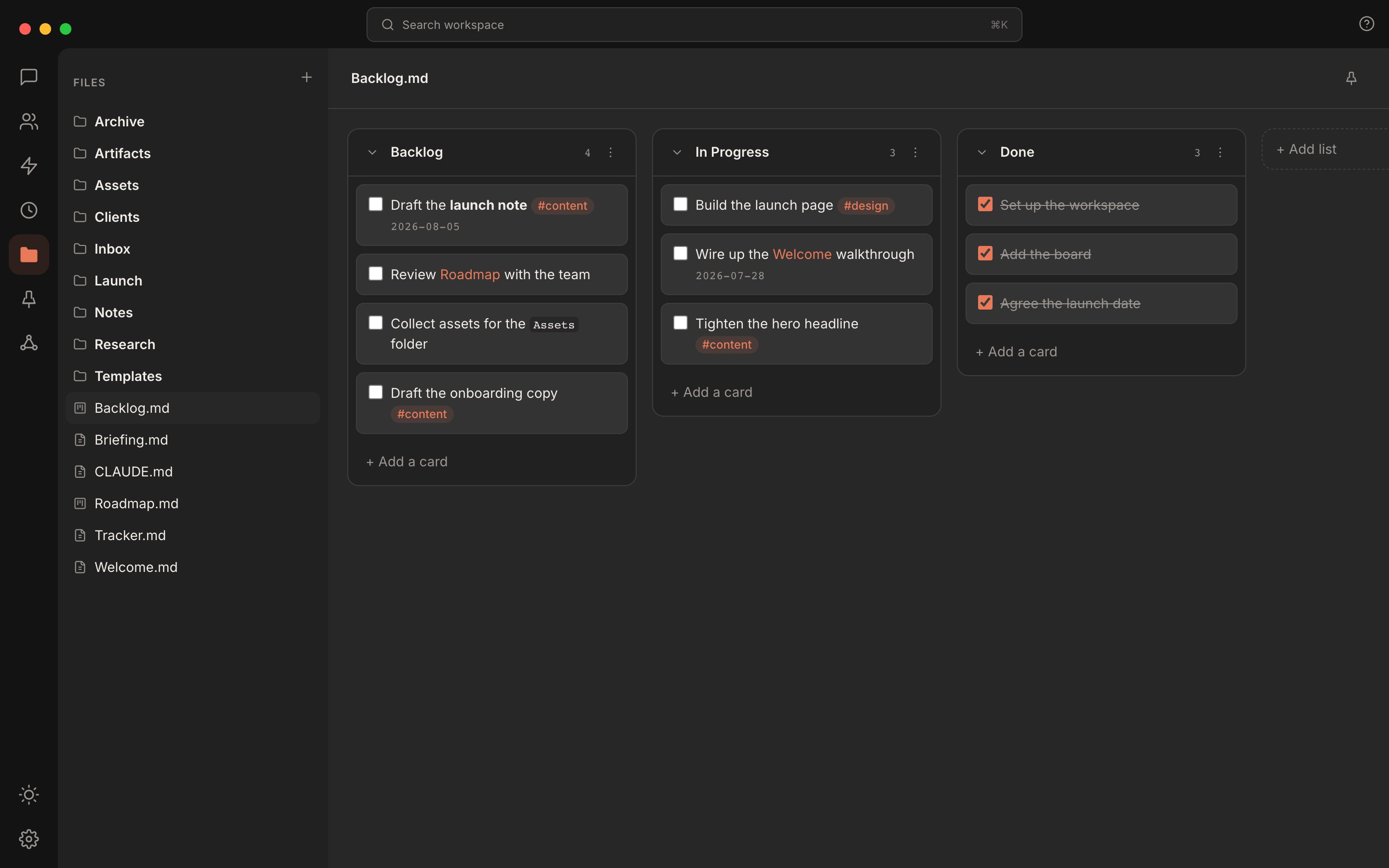
An Obsidian Kanban board open in Rundock. Drag a card and the markdown updates.
Reviewing agent work
When an agent produces a file, you review it where it lives. Select a passage and press Comment to leave anchored feedback. Agents propose inline edits with Accept and Reject buttons, replies thread and resolve, and a review panel lists everything open. Feedback is stored in the file itself as CriticMarkup, a small block of plain text readable in any editor, attributed honestly: you show as “Me”, agents under their names. The same review flow now covers rendered HTML and SVG files, not only markdown.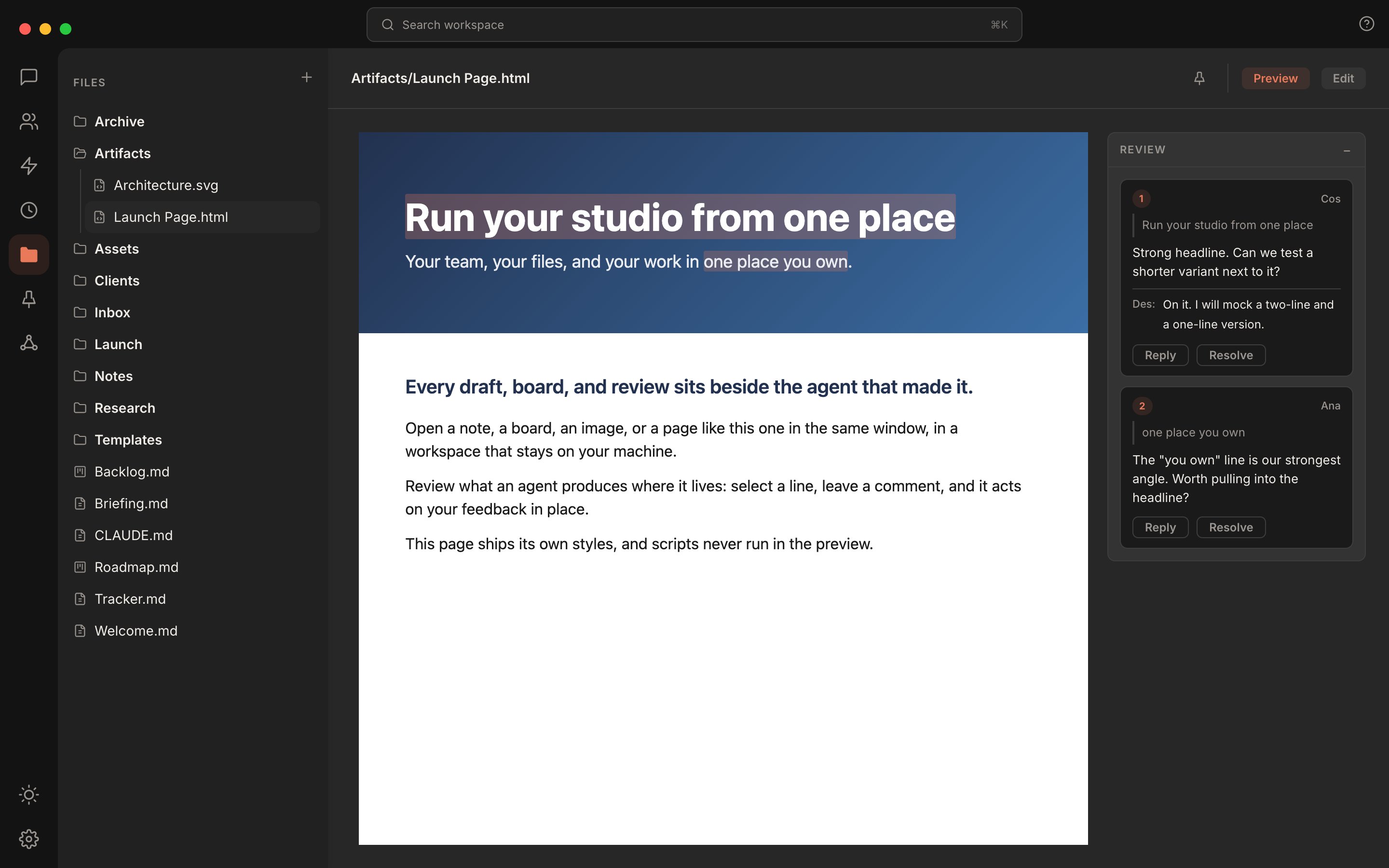
Anchored comments on a rendered HTML page, with replies and resolve in the review panel.
Pins
Pins sits in the rail directly below Files. It is the short list of files you come back to every day. Pin the file you have open with the pin at the top right, or right-click a file in the sidebar and choose Pin. The Pins list shows your pinned files in the order you pinned them, each with its folder underneath (a file at the top of the workspace shows none). Hover a row to unpin it. Opening a file from Pins keeps Pins lit, and arriving at Pins opens the first pin. Pins are kept with the workspace, in.rundock/pins.json, so they follow the folder to another machine when it syncs, or when you rename it. That folder is ignored by git, so a shared repository never hands your list to everyone else. A pinned file that has since been moved or deleted stays in the list, struck through with the reason and a Remove, rather than disappearing.
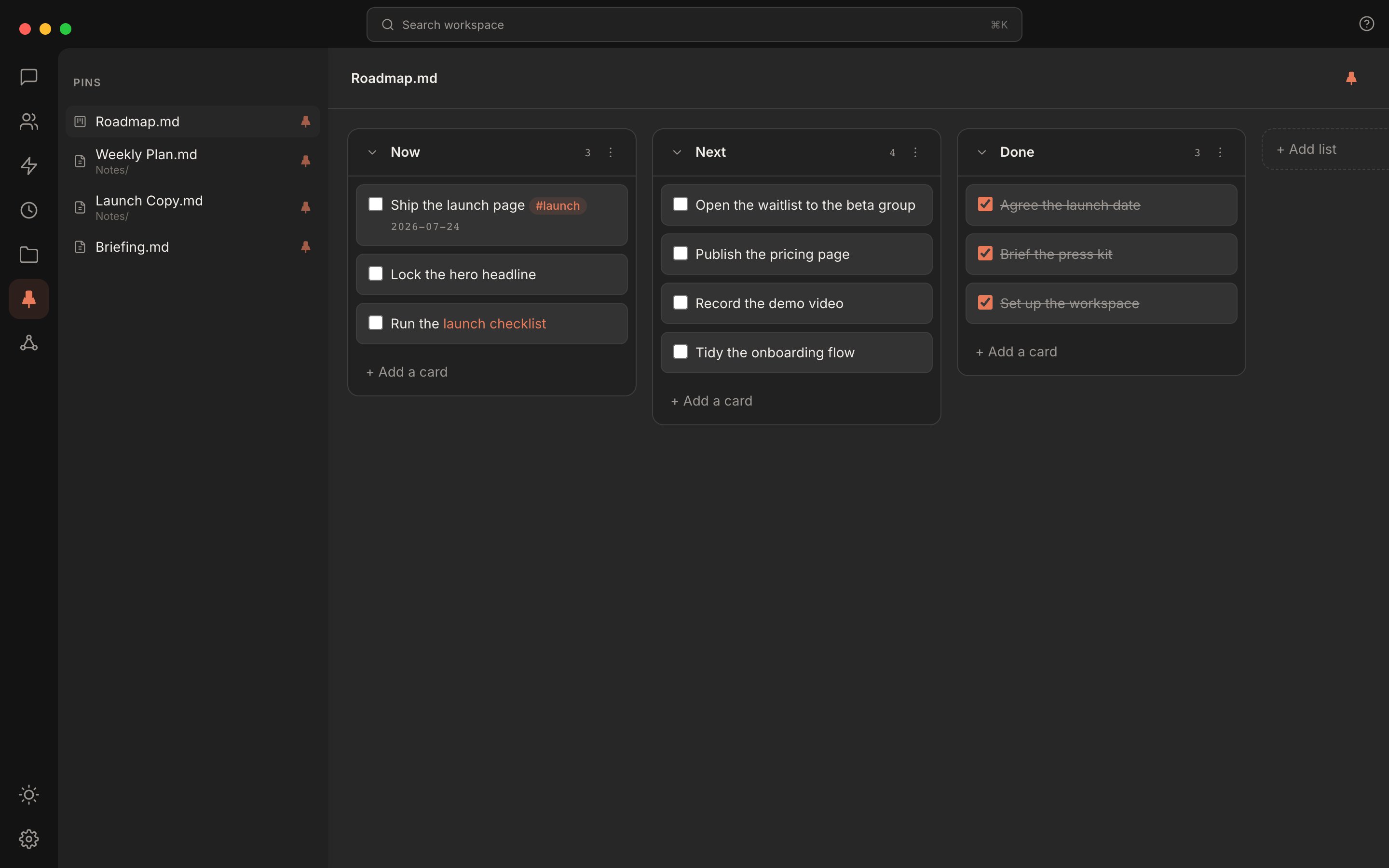
Four pinned files, with the Roadmap board open. Pinned boards open as boards.
Connections
The file view carries a connections list: what links to the open file, and what it links to. Clicking an entry opens that file, the same file the link inside the document opens. A file that cannot contain links shows only what links to it.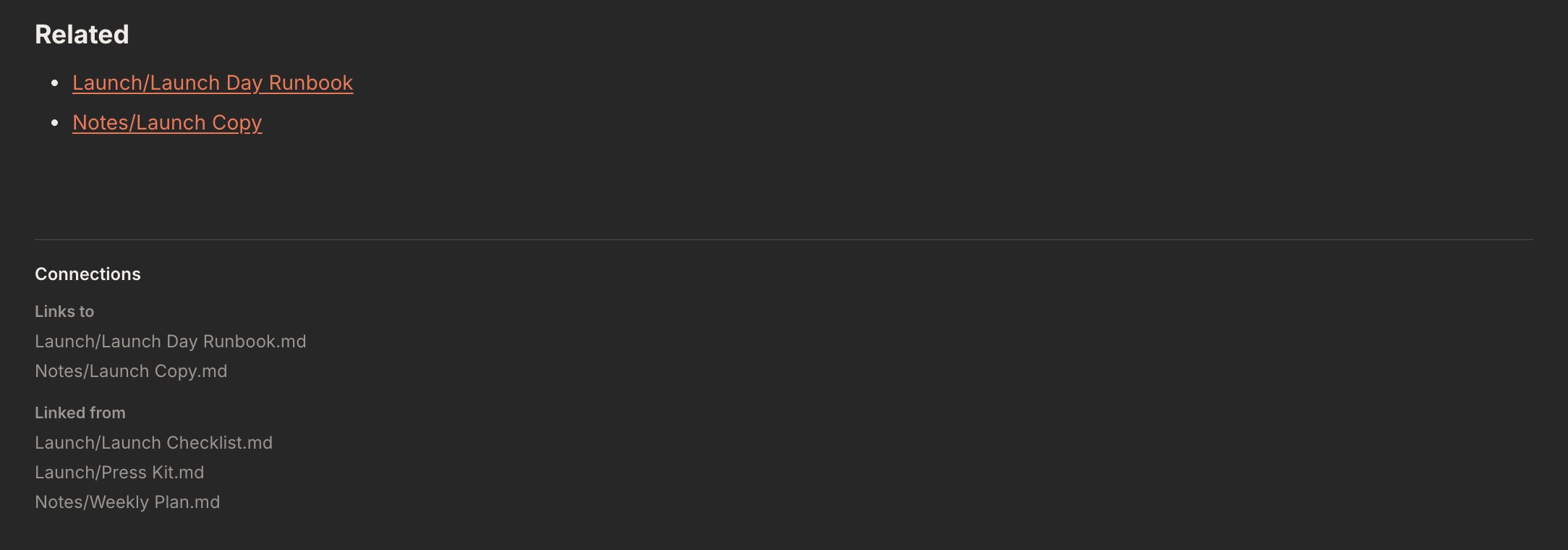
The connections list under a note: it links to two files, and three link to it.
Map
Map, below Pins in the rail, draws the whole workspace as a graph: every file a node, every resolved link between files a line.- Clusters. Files that link to each other gather together, and bigger clusters get more room. Files nothing links to sit in a ring around the outside.
- Size and light. A node grows with the number of links it has. The workspace’s most recently changed files are drawn warmest and its oldest dimmest, ranked against each other rather than by date.
- Moving around. Drag or two-finger scroll to pan. Pinch, or hold Ctrl and use the wheel, to zoom. More of the workspace comes into view as you zoom in.
- Finding and opening. Type a keyword to narrow the map to matching files. Hover a node to see its name and its neighbours’ names, with the count of its connections in the readout, and click it to open the file.
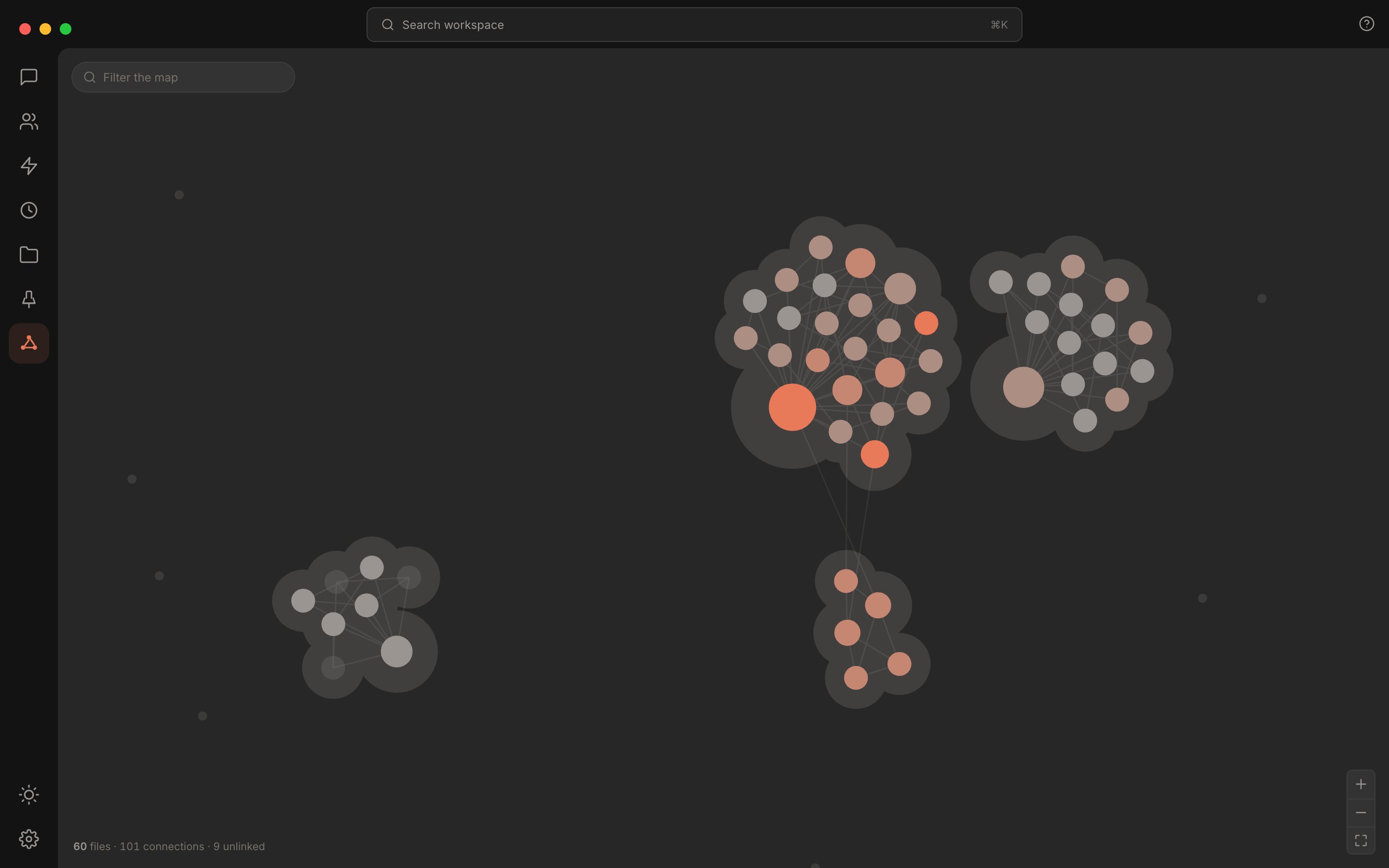
A workspace as a graph. Linked notes cluster, unlinked files ring the edge, and recent work is brightest.
Files opened by an extension
An installed extension can open a kind of file, such as every.csv file, in its own view instead of Rundock’s. See Install a package and What an extension cannot do.
Files stay in sync
A file you have open updates in place when it changes on disk, whether an agent, Obsidian, or another window changed it. If you have unsaved edits when that happens, the next save offers a clear choice, reload theirs or keep yours, instead of overwriting silently.Where to next
Search
Find any file, message, or agent from one palette.
Workspaces
How the folder on disk is laid out.