

Before you start
You need:- Rundock open with a workspace selected (the folder you picked during first-run).
- A topic you know well enough to judge whether the writing is any good. Pick one before you start. The whole exercise depends on you being able to tell the difference between a good draft and a generic one.
1. See the team work
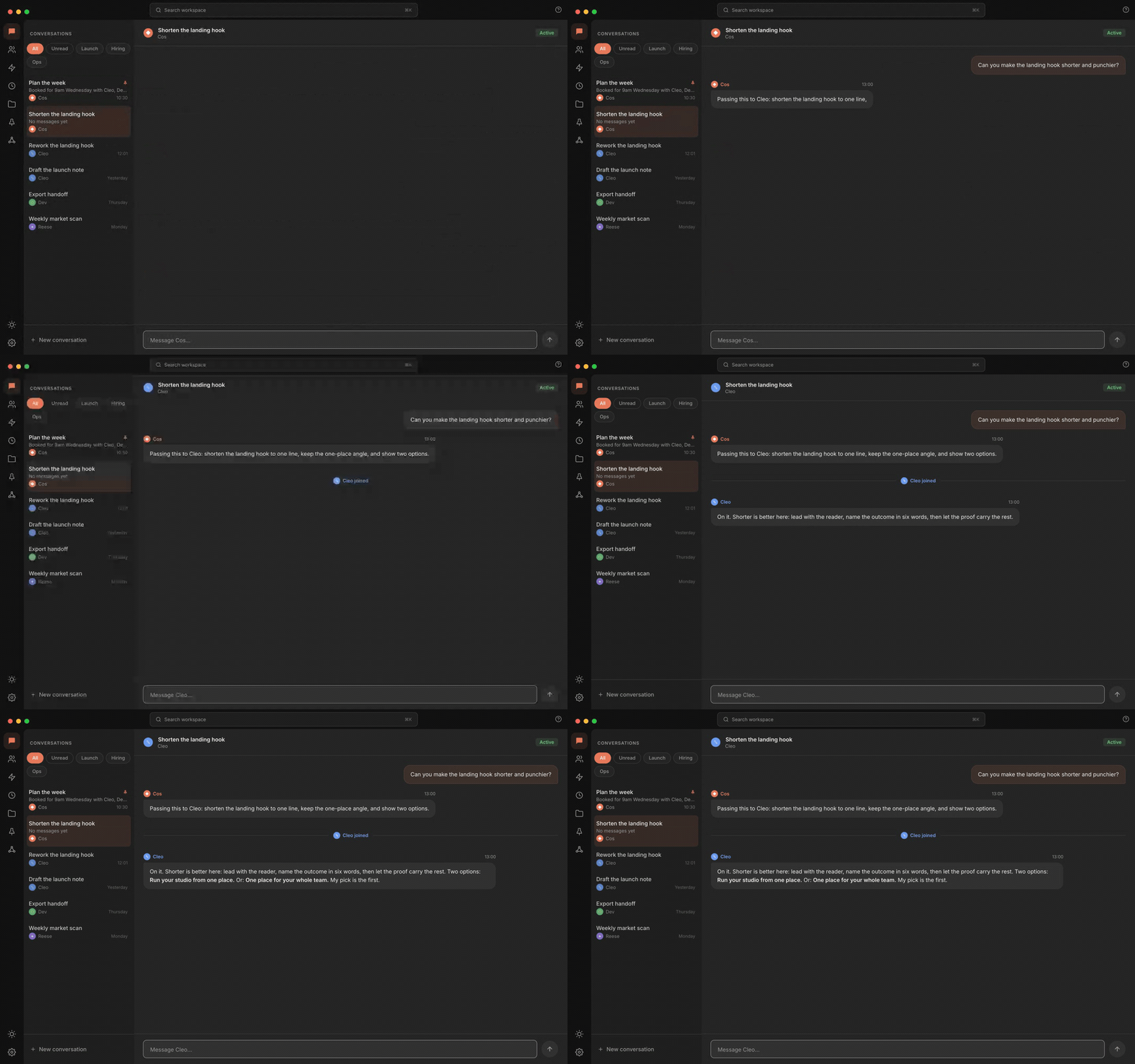
Talk to one agent and the team forms around the task: the orchestrator takes your request, hands it to the specialist who owns it, and the specialist's reply streams in. Hand-offs are visible in the panel.
2. Set up two agents at once
Create two agents. The first is the Content Writer; the second is the Researcher. There are two routes, and either one writes a markdown file per agent to your workspace:- Ask Doc. Open Doc from the team list (it sits under Rundock Agents), start a conversation, and ask it to create each agent, pasting in the details and instructions below.
- Write the files yourself. Save each agent as
.claude/agents/<name>.md, with the details below as its frontmatter and the instructions as the body of the file.
The Content Writer
- Name:
content-writer(lowercase, hyphenated, becomes the filename) - Display name: Content Writer
- Role: Content Writer
- Description: Drafts short-form written content in the user’s voice.
- Type:
specialist, with order1 - Reports to: your orchestrator’s name (the
namein its file), if your workspace has one
The Researcher
- Name:
researcher - Display name: Researcher
- Role: Researcher
- Description: Finds supporting facts, statistics and sources for drafts.
- Type:
specialist, with order1.1 - Reports to:
content-writer
3. Send a task that needs both
Open a conversation with the Content Writer: click its card on the org chart to open its profile, then press New conversation. Send a task that requires evidence:4. Review and iterate
Read the draft. Decide whether the Researcher’s evidence was used well. Decide whether the post is something you would publish. If the draft needs work, do not try to fix the agents on the first pass. Send a follow-up message saying what is missing. For example:Where to next
Agents
What an agent is and how delegation works in more depth.
Workspaces
What is in your workspace folder and what stays local.
Create your first agent
A walkthrough of building an agent from scratch when you want to go beyond this example.
Set up a team workspace
Share your team across multiple people using Dropbox, OneDrive, Google Drive, or git.