

The workspace is a folder
Everything Rundock uses for one team lives in one folder on your machine. Open Rundock, point it at the folder, and Rundock loads what it finds. Inside the folder:.claude/agents/ holds your agent files. One markdown file per agent. The filename is the agent’s slug.
.claude/skills/ holds your skill files. One folder per skill, with a SKILL.md inside. Skills are reusable instructions an agent can run.
CLAUDE.md holds workspace-wide instructions: house style, file path conventions, anything you want every agent to follow.
Knowledge files are anything else: brand documents, voice profiles, ICP definitions, reference material your agents read.
The .claude/ folder is hidden by default in Finder and File Explorer. Cloud sync services handle hidden folders correctly. There is nothing magic about the structure: it is just a folder.
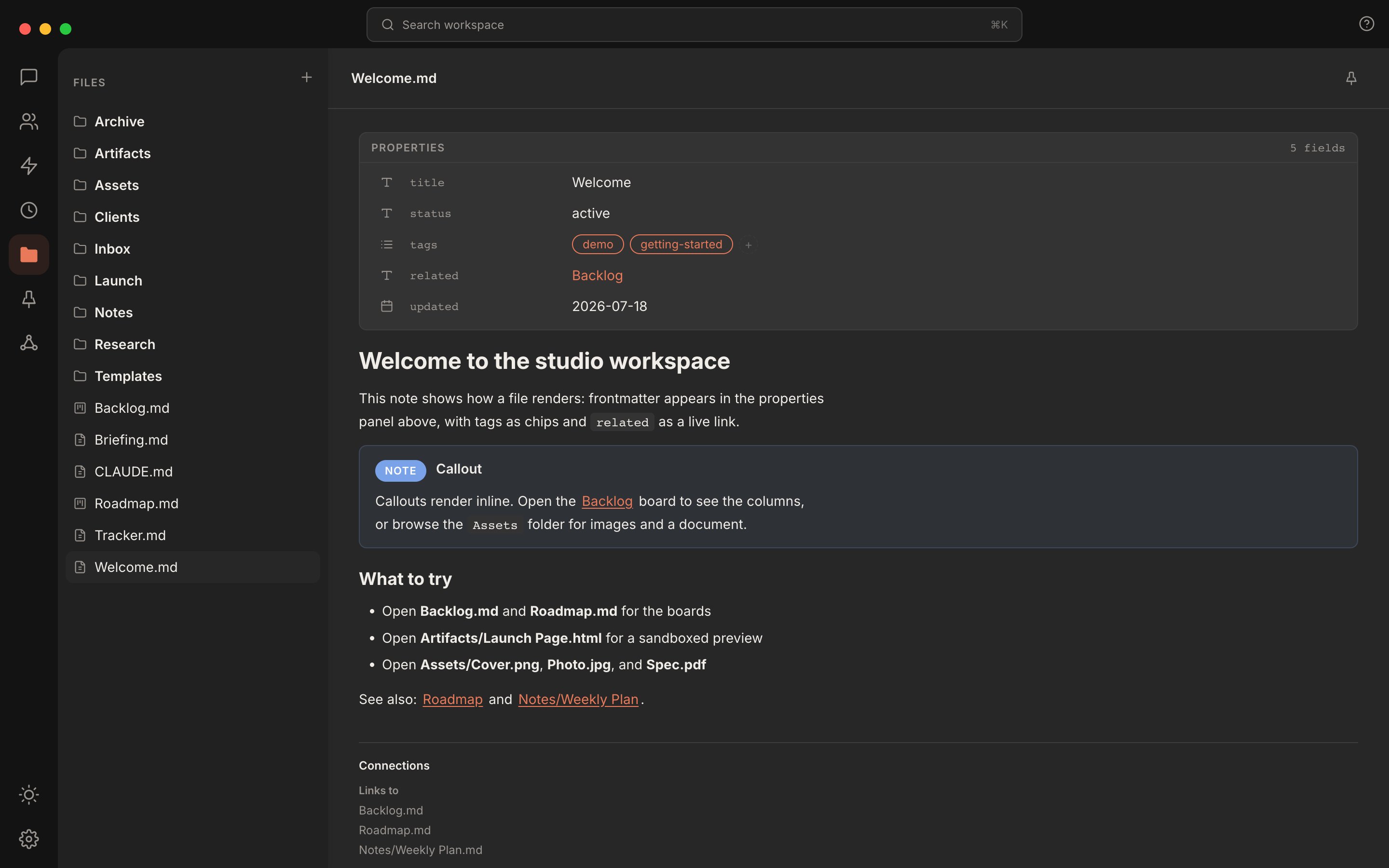
The workspace inside Rundock. Same folder you see in Finder. Same files you can edit in any text editor.
The org chart is a view, not a system
The org chart you see in Rundock is a visual layer over the agent files. Each card on the chart is one file in.claude/agents/. The position, the colour, the icon, and the role label all come from the YAML frontmatter at the top of that file.
To move an agent on the chart, change the order and reportsTo fields in its file, by hand or by asking Doc. Adding an agent means creating a new file, and deleting an agent means deleting its file.
This is why your team is portable. You can read it in Finder, edit it in any text editor, copy it to another machine, or commit it to a git repo. Nothing is locked inside a database.
Delegation is what makes it a team
You send a message to the orchestrator. The orchestrator reads its instructions, looks at who is on the team, and decides which specialist should handle the work. It then hands the work to that specialist with the relevant context. The specialist reads its own instructions and the context the orchestrator passed, does the work, and hands the result back. If the specialist leads agents of its own, the ones that report to it, it can delegate onward to them. Otherwise, when work belongs to someone else, it hands back. You watch all of this happen in the conversation panel. The hand-offs are visible: who asked who, what was passed, what came back. When something goes wrong, you can see exactly which agent to fix.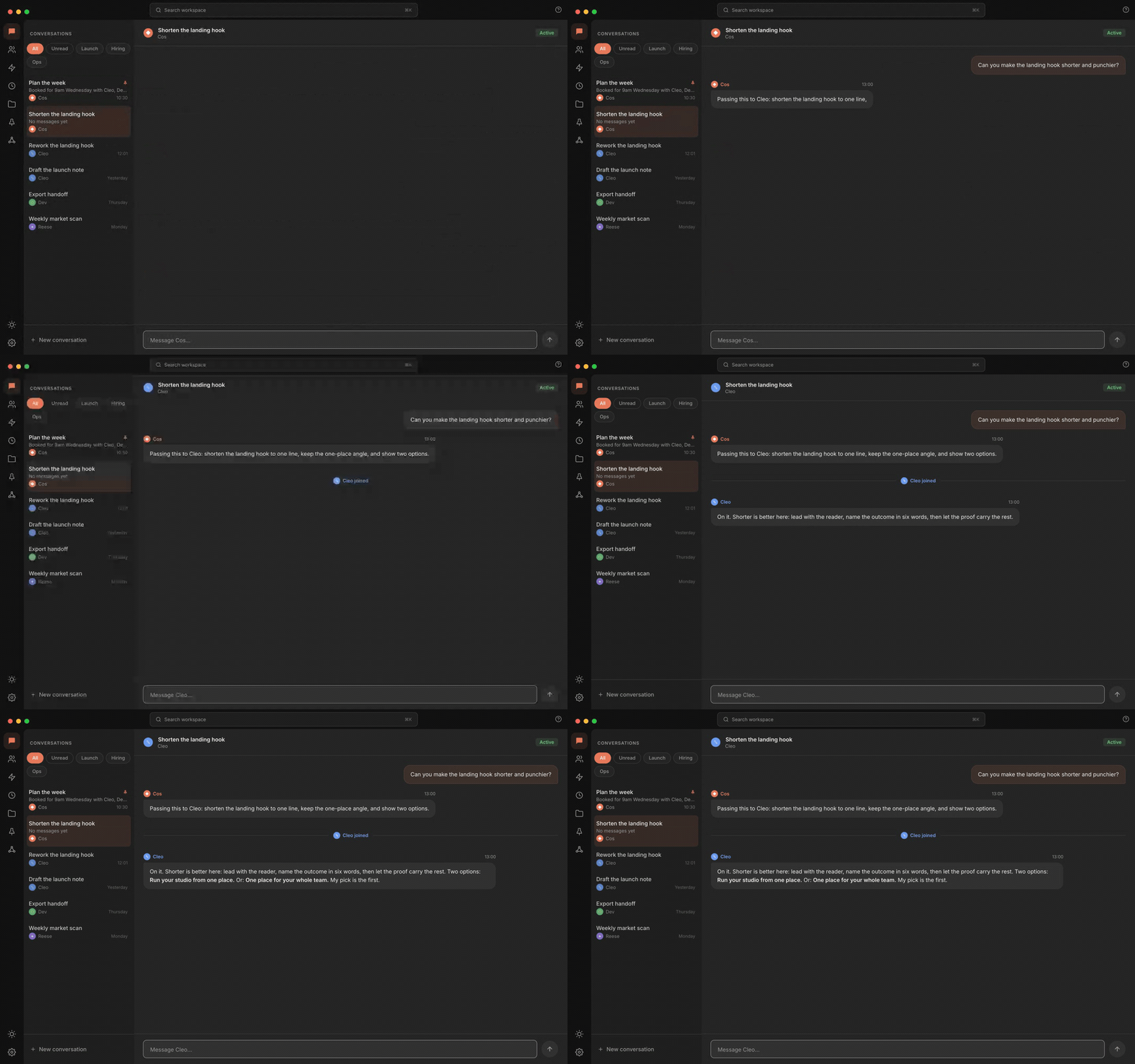
Delegation is visible. The orchestrator hands work to a specialist; you see who asked who, what was passed, what came back.
For a full breakdown of how delegation flows between an orchestrator and specialists, see the Agents concept page.
Conversations stay local
The whole stack runs on your machine. Your files, your agents, your conversations stay on disk in your workspace. Rundock itself contacts only GitHub: the desktop app checks there for app updates, and Rundock fetches a package from there when you add it, check it for updates or update it. None of your files, agents or conversations go with those requests. Everything else is your runtime and the connectors you choose: Claude Code talks to Anthropic’s API, Codex (if you run agents on it) talks to OpenAI’s, and any MCP server you connect reaches its own service. The runtime sends the active conversation, processed under your own subscription. There is no cloud service, no account to create, no telemetry. Sign-in is managed by each runtime’s CLI, not Rundock, and Rundock never reads its contents: it learns that Claude Code is signed in from how its turns go, and that Codex is signed in from whether its credentials file exists. If a workspace is shared across a team, the shared folder syncs through whatever sync layer the team uses (Dropbox, OneDrive, Google Drive, or git). The sync is between team members directly. Rundock does not see it.How a message gets to an agent
The end-to-end shape of one message:1
You type a message in the conversation panel
Rundock receives the message in the browser client and forwards it to the local server.
2
The server identifies the agent
From the conversation context. If the conversation is scoped to a specialist, the message goes to that specialist. If it is scoped to the orchestrator, the orchestrator receives it.
3
Claude Code spawns the agent as a subprocess
The agent’s frontmatter and body are loaded as the system prompt. Rundock injects the team roster, delegation mechanics, and scope boundary. An agent with
runtime: codex is run by the Codex CLI instead, with its instructions carried in the first turn’s prompt.4
The agent processes the message
It may call tools (Read, Write, Bash, MCP servers) and it may delegate to other agents.
5
The response streams back
To the conversation panel. Tool calls and delegation hand-offs are rendered inline so you can see them happen.
Where to next
Agents
What an agent is and how delegation works in detail.
Skills
Reusable workflows agents can invoke.
Workspaces
What is in a workspace and what stays local.
Routines
Scheduled prompts that fire on a cadence.