

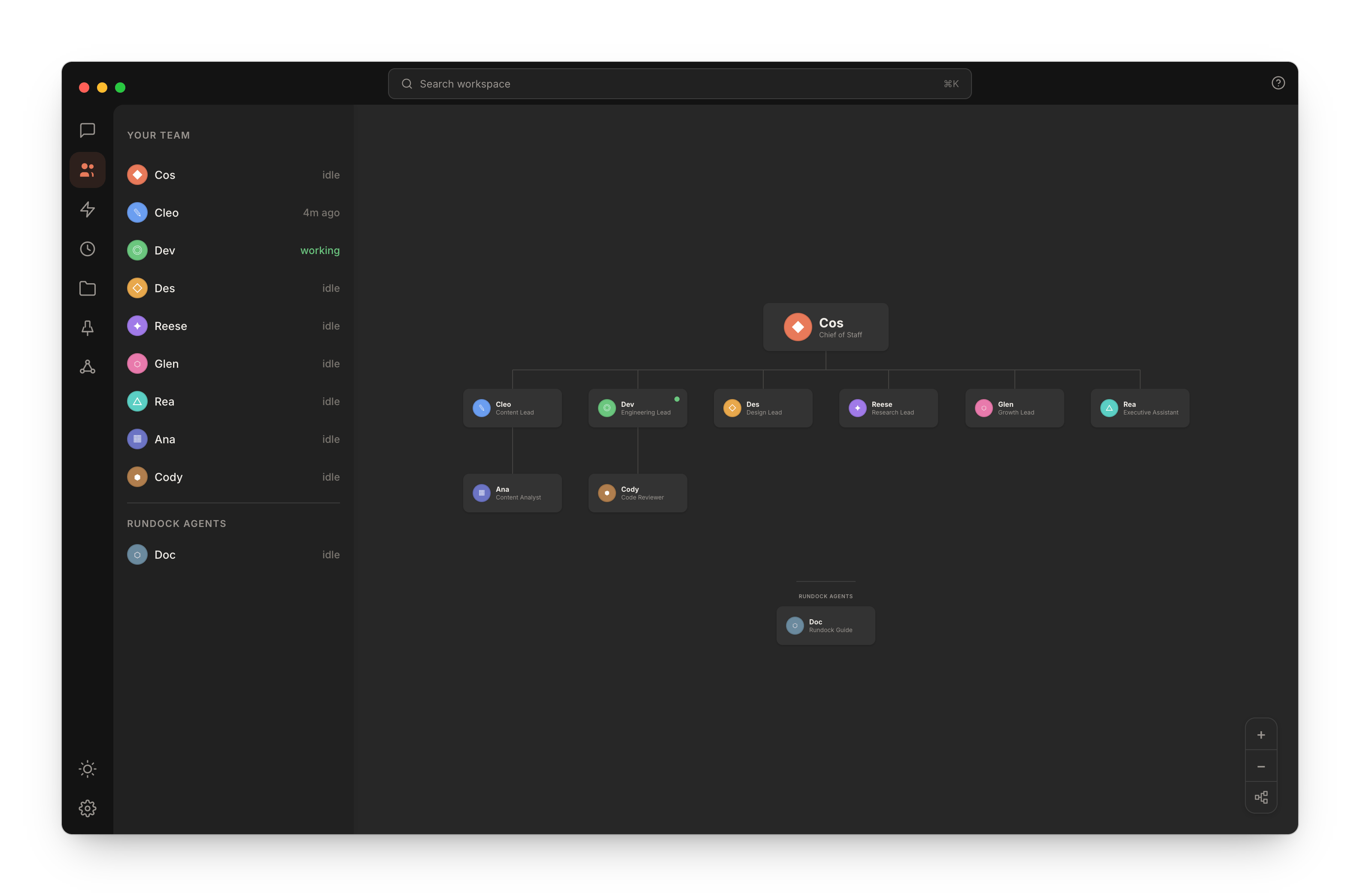
A working Rundock workspace: an orchestrator at the top, the team reporting in, and each agent's status in the sidebar on the left.
Who Rundock is for
Built for people who run things, not people who code things. You have set up your own tools before. You have never wanted to live in a terminal. Setup is guided and happens once; everything after it is visual. If you already live in a terminal running Claude Code, Rundock still works, but you are not who it was built for. You run content, ops, sales, admin, and research. When you started, there was nobody else, so the work fell to you. A single chatbot is a single assistant. Useful, but it does not scale with the work. An agent platform built for developers assumes you can write code. Rundock sits between the two: you do not need to write code, and you do not get a single assistant. You get a team you can actually manage. Rundock is built for solopreneurs and small business owners who need leverage without hiring. It is built for the person doing five jobs because there is nobody else to hand them to.How it is different from a chatbot
A chatbot is one role. You write everything you need into one prompt and one context window. The tool forgets between sessions and has no sense of who is asking, what they are working on, or who else is involved. Rundock is a team. Each agent has its own file, its own role, its own instructions, and its own knowledge. When you ask the orchestrator to handle something, it reads the org chart and routes the work to the right specialist. The specialist does the work using its own context and tools. You watch both sides of the conversation, in plain English. The shape of the difference: a chatbot scales by adding longer prompts. Rundock scales by adding more agents.What shapes Rundock
Four principles shape every decision: local-first, markdown all the way down, the human leads and the AI delivers, the team is the unit of value. A fifth, Built from real use, explains why those four exist.Read the principles
The full version, with what each principle rules out and how it shows up in the product.
Where to next
Install Rundock and run through first-run setup. Both take about five minutes.Install Rundock
Get from zero to Rundock open on your machine.
How Rundock works
The mental model. Useful before you build anything.